Showing posts with label 40-inch LED HDTV. Show all posts

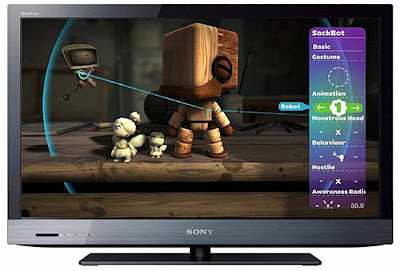
Sony BRAVIA KDL40EX520 40-Inch 1080p LED HDTV

sony bravia 40 inch, 40 inch 1080p hdtv, 40 sony bravia
Clever Designs
     Sony unveiled the BRAVIA EX520 earlier this year as a Full-HD offering which makes it markedly superior to its HD-ready EX420 counterpart. Physically, the EX520 makes for a distinguished character with its glossy black and gun-metal frame. On that note, Sony's choice of a matte panel surface also ensures a less annoying and "reflective" experience when gazing at this screen during the day. As far as the battle for skinniness goes, Sony beats Samsung to the punch with its 29.5mm slim frame. The EX520 swivels like most good TVs do. And to live up to its eco standards, the BRAVIA EX520 also comes ambient and unique presence sensors. One adjusts the intensity of the backlights depending on the ambient lighting, while the other powers the EX520 off when no one is watching the TV. Ports wise, this model features a rear and side IO panel with four HDMI inputs in all. Its side fixture, while it's a little recessed, includes an USB port, HDMI slot, headphone jack and VGA input.

Intelligent Features
     Sony's latest bravia user interface does resemble its former Xross Media Bar in some aspects. What's different, however, is the new preview screen and additional tabs such as Favorites and Applications. The EX520 carries its own web browser, and of course, Sony's internet video platform. As we know it. Sony does not possess an app store at present, although new applications can be added or existing ones patched with software updates. The web browser didn't impress, given its awkward interface and issues with Flash content.
     Internet video truly lives up to its namesake though it only caters mostly to video streaming sites like YouTube, WIRED and Style.com among others. Besides these streaming apps, it is also possible to view live feeds from
Facebook and Twitter whilst watching a TV program, It took us a while to locate them, but News links are housed mainly under the RSS Podcast selection. As for media playback, the EX520 embraced MPEG4 and AVI files agreeably, including most of the Xvid and DivX codecs, but ultimately failed to detect the MKV file format

DisplayMate and HQV Benchmarks
DisplayMate Color Ramp Test: Smooth gradients are rare occurrences on LCD TVs with edge-mounted LEDs, but Sony has made this a speciality with the BRAVIA EX520.

DisplayMate: Like many of its edge-lit adversaries, the EX520 struggled with uneven textures as well as contrast shifts at wider viewing angles. What it excelled in, however, was its accurate color renditions and compression-free gradients.
HQV: The BRAVIA features a general noise filter plus MPEG and Dot Noise options. The EX520 demonstrated outstanding noise reduction and de-interlacing skills. However, it wasn't quite a natural when dealing with 24p pulldown despite Sony's Cinema Drive feature.

Blu-ray Audtion
Corpse Bride: The BRAVIA is undoubtedly one of the top guns for sharp aid natural-looking images. However, it was unfortunately marred by marginal backlight blooming right around the corners. On another note, careful use of its enhancements such as Black Corrector Black and Advanced Contrast Enhancer can do a great deal for the TV's picture quality.

Vantage Point: While the EX520 may totter with 24p playback, Sony's basic
50/60Hz panel was adept at displaying accurate colors and moving images without introducing motion artifacts. Audio wise, Sony's S-Force Front Surround processing were able to provide a wider soundstage, although vocals and effects still sounded less punchy and distinct compared to the LV5500.

REMOTES AT A GLANCE
     Sony's RM-GD020 remote may be a little bulky, but its concise layout is a definite incentive. The wand also comes with buttons for Sony's Internet Video as well as iManual with operational instructions.

Sony BRAVIA EX520 Series 1080p LED HDTV
     FEATURES
  • Brilliant Full HD (1080p) picture quality
  • LED backlit for incredible contrast & slim design
  • X-Reality™ Engine for a clear, vivid, life-like picture
  • Internet TV for widest variety of internet content
  • ECO features including power-saving sensors
SPECIAL OFFER


Source : hardware magazine.

Samsung UN40D5500 40-Inch 1080p 60Hz LED HDTV

42 inch 1080p, lg led hdtv
Clever Designs
     Samsung revisits familiar ground on their fourth-generation Series 5 HDTV, with aesthetic features such as a rose-black bezel, transparent trimmings and glass pedestal stand. The UN40D5500 also retains attractive qualities such as a slim depth which makes this edge-lit display one of the prettiest showpieces in this contest. Similar to LG's LV5500, the series 5 similarly boasts of touch-sensitive controls at the bottom right edge of its bezel. However, they're not backlit, so fiddling with them in the dark isn't very convenient. Moving on, little has changed in terms of Samsung's execution with their A/V ports. The back panel still retains a row of side-facing slots, comprising of four HDMl. an optical outlet, and two USB ports. And as witnessed on earlier iterations, Samsung's secret in creating a lean figure on their LED offerings can be traced back to a breakout cable used for analog video inputs. With the Series 5, however, both composite aid component types wiII have to share a single breakout cable.

Intelligent Features
     We have to admit Samsung's Smart Hub is probably the most appealing and smartly executed web platform in this month's comparison. Basically, there are four segments to the Smart Hub a window depicting the current show you're watching, Samsung Apps store, and recommended applications. News content can be pulled from sites such as Yahoo, AP (Associated Press) or USA Today. Just below, the launch bar is where installed applications are found, including apps such as AllShare (Samsung's DLNA content sharing service) and a Schedule Manager to schedule TV recordings on a USB drive. However, patience is needed for the Smart Hub took more than three minutes to complete its initial software update.
     The Series 5 does not flaunt as many picture presets as LG or Panasonic, but what's notab e is the plethora of advanced settings available. These enhancements irclude Flesh Tone, White Balance, Shadow Detail, Motion Lighting and LED Motion Plus. Supposedly, the latter was designed to optimise fast action scenes with rapid backlight scans. Interestingly, Samsung also has a Smart TV Remote App for Android devices to relieve users from the pain of tedious text-entry on the standard remote. Video formats such as WMV, MKV, MPEG4 and MOV files were sweetly playable on the Series 5.

DisplayMate and HQV Benchmarks
DisplayMate Color Ramp Test: Banding was almost non-existent on the Color Ramp test. However, Samsung's panel can be prone to subtle color shifts when viewed at wider angles.

DisplayMate: Balancing black levels and picture details can be a tricky business with the Series 5, for darker nuances tend to go unnoticed. The Ultra Clear panel also displayed very consistent colors and gradients, though it is susceptible to minor color shifts and backlight bleeds at the corners.
HQV: Samsung topped the HQV tests as proven by its capable noise filters and diagonal interpolation techniques. The Series 5 does not offer native cadence detection, but its Film Mode "Auto 1" feature managed to decode inherent 24p sources without breaking a sweat.

Blu-ray Audtion
Corpse Bride: Natively, images on the D5500 appeared washed-out with little depth to show. And this was especially evident on Tim Burton's dark and gothic flick. Thankfully, picture quality improved upon setting the Series 5's Black Tone to "Darkest" and its Dynamic Contrast to "Low".
Vantage Point: Similar to our findings on Corpse Bride, the Series 5 is capable of sharp and definitive pictures but only with a little help from its visual
enhancements. For example, Samsung's LED Motion Plus is almost mandatory to achieve deeper blacks and perspectives. It's also obvious Samsung has worked on their audio processing judging by its SRS TruSurround HD wider and richer sound field.

REMOTES AT A GLANCE
     It's a shame the classy Series 5 should be accompanied by a dowdy-looking stick. For what it's worth, Samsung's remote is a comprehensive wand with buttons for Smart Hub and Tools. The latter gives you quick access to the Sleep Timer and Sound Mode.

Samsung D5500 Series 1080p 60Hz LED HDTV
     FEATURES
  • Full HD 1080p Resolution
  • Clear Motion Rate 120
  • Touch of Colour™ Design
  • Ultra-Slim Depth
  • HyperReal™ Engine
  • AllShare™ DLNA Certified™
  • Wide Color Enhancer Plus
  • ConnectShare™ Movie
  • Ultra-Low Power Consumption
  • Game Mode
  • Eco Sensor
  • Energy Star
SPECIAL OFFER


Source : hardware magazine.